
In the world of cryptocurrency, security is not just a feature; it is the foundation of your entire investment strategy. As digital assets become more mainstream, the methods used by malicious actors to gain unauthorized access also grow more sophisticated. This makes robust security measures more critical than ever. One of the most powerful tools at your disposal is Two-Factor Authentication (2FA). This guide will provide a comprehensive look at why HIBT 2FA authentication is essential for securing your assets, how to set it up, and best practices to keep your account protected.
Whether you are making your first crypto purchase or managing a diverse portfolio, understanding and implementing 2FA is a non-negotiable step. It adds a powerful layer of defense that can mean the difference between a secure investment and a catastrophic loss.
What is Two-Factor Authentication (2FA) and Why Do You Need It?
Two-Factor Authentication is a security process that requires you to provide two different authentication factors to verify your identity. Think of it as a double-check system. A password alone is a single factor—something you know. 2FA adds a second factor, which is typically one of the following:
- Something you have: This could be your smartphone, a physical security key, or a hardware wallet.
- Something you are: This refers to biometrics, like your fingerprint or facial recognition.
By requiring two distinct factors, 2FA makes it significantly harder for unauthorized users to access your accounts. Even if a hacker manages to steal your password, they would still need access to your second factor to get in. For cryptocurrency traders, this second layer of security is vital. Your digital assets are valuable and, unlike traditional banking where fraudulent transactions can sometimes be reversed, crypto transactions are often irreversible. Once your funds are gone, they are likely gone for good.
The Growing Threat: Why Passwords Are Not Enough
Passwords have been the standard for digital security for decades, but their effectiveness is waning. Here’s why a password alone is a weak defense:
- Phishing Scams: Attackers create fake websites or emails that look identical to legitimate ones, tricking you into entering your login credentials.
- Data Breaches: Large-scale data breaches on other websites can expose your email and password. Many people reuse passwords across multiple sites, meaning a breach on one platform can compromise your crypto account.
- Brute-Force Attacks: Hackers use software to try millions of password combinations in a short time to guess your password.
- Malware: Keylogging software can be installed on your computer without your knowledge, recording every keystroke, including your passwords.
Implementing 2FA on a secure platform like HIBT mitigates these risks. It acts as a digital bodyguard for your account, ensuring that only you can authorize access and transactions.
Case Study: The Cost of Weak Security
Consider the story of a seasoned trader from Ho Chi Minh City, let's call him Minh. Minh had been trading for years and built a substantial portfolio. He used a strong, unique password for his exchange account but never activated 2FA, thinking his password was enough. One day, he fell victim to a sophisticated phishing email that appeared to be from his exchange, warning him of a security alert. He clicked the link, entered his credentials on a fake login page, and within minutes, his entire portfolio was drained.
The hackers had his password, and without the second factor to stop them, they transferred all his assets to an untraceable wallet. Minh's story is a painful but common example. Had he enabled 2FA, the attackers would have been stopped in their tracks, as they would not have had access to the one-time code generated on his phone.
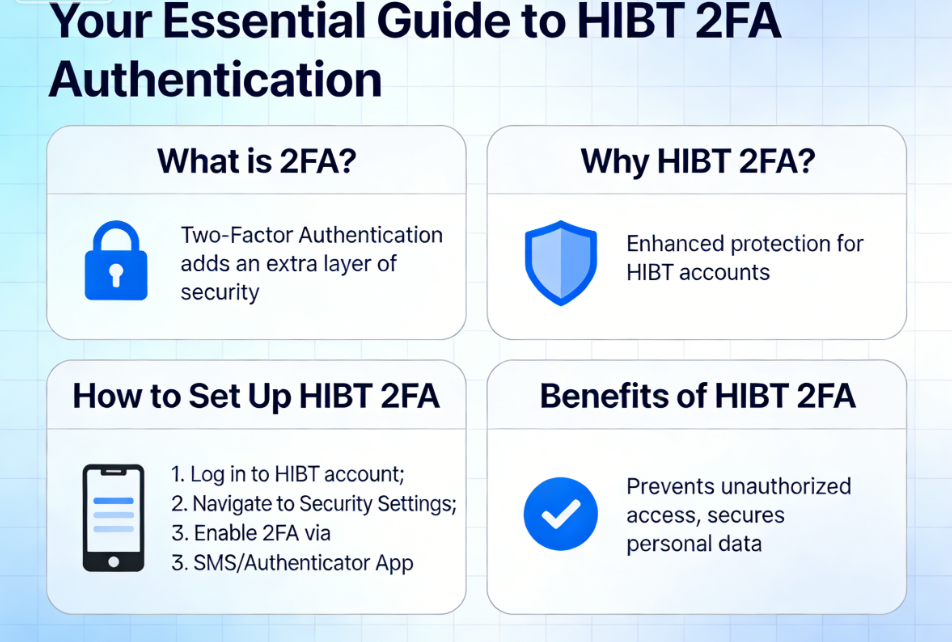
Setting Up HIBT 2FA Authentication: A Step-by-Step Guide
Activating 2FA on your HIBT account is a straightforward process that provides an immediate and significant boost to your security. HIBT supports authenticator apps like Google Authenticator or Authy, which are the most recommended methods for 2FA.
Follow these steps to secure your account now.
Step 1: Download an Authenticator App
Before you begin, you need an authenticator app on your smartphone. The most popular and trusted options are:
- Google Authenticator: Available for both Android and iOS.
- Authy: Also available for Android and iOS, with the added benefit of cloud backups.
Go to your device's app store, search for one of these apps, and install it.
Step 2: Navigate to Security Settings in Your HIBT Account
- Log in to your HIBT account.
- Go to your account dashboard or profile section.
- Find and click on the "Security" or "Security Settings" tab.
Step 3: Enable Google Authenticator/2FA
- In the security settings, you will see an option for "Google Authentication" or "2FA." Click the "Enable" or "Set Up" button next to it.
- HIBT will display a QR code and a secret key (also called a setup key). This key is crucial. Write it down on a piece of paper and store it in a safe, offline location. Do not store it as a digital file on your computer or phone. This key is your only way to regain access to your authenticator if you lose your phone.
Step 4: Link Your Authenticator App with HIBT
- Open the authenticator app you downloaded (e.g., Google Authenticator).
- Tap the "+" icon to add a new account.
- Choose the "Scan a QR code" option and use your phone's camera to scan the QR code displayed on the HIBT website.
- Your authenticator app will now be linked to your HIBT account and will start generating a 6-digit, time-sensitive code that refreshes every 30 seconds.
Step 5: Verify and Complete the Setup
- On the HIBT website, you will be asked to enter a few pieces of information to confirm the setup:
- Your login password.
- The 6-digit code currently displayed in your authenticator app.
- Enter the required information and click "Submit" or "Enable."
Congratulations! You have now enabled HIBT 2FA authentication. From now on, whenever you log in or perform critical actions like withdrawing funds, you will need to provide both your password and the 6-digit code from your authenticator app.
Best Practices for Managing Your 2FA Security
Enabling 2FA is the first step. To maintain maximum security, you need to manage it correctly. Here are essential best practices for both beginners and advanced traders.
1. Secure Your Backup Key
The secret key you wrote down during setup is your master key. If you lose your phone, this key is the only way to restore your authenticator access on a new device.
- DO: Store the physical copy of the key in a secure location, such as a safe deposit box or a locked safe at home. Consider making two copies and storing them in different secure locations.
- DON'T: Store it as a screenshot, in a cloud drive, in your email, or as a note on your computer. If a hacker gains access to your device or cloud account, they will find your backup key and bypass your 2FA.
2. Use a Dedicated Device if Possible
For investors with significant holdings, consider using a dedicated smartphone or tablet solely for your authenticator apps and crypto activities. This device should not be used for general web browsing, social media, or downloading unknown apps. This practice, known as "air-gapping" your security, drastically reduces the risk of malware or phishing attacks compromising your authenticator.
3. Beware of SIM Swap Attacks
While SMS-based 2FA is better than nothing, it is vulnerable to a "SIM swap" attack. This is where an attacker convinces your mobile provider to transfer your phone number to a new SIM card they control. Once they have your number, they can intercept SMS codes.
This is why app-based authenticators like Google Authenticator or Authy are far more secure. The codes are generated on your device and are not tied to your phone number. Always choose app-based 2FA over SMS-based 2FA when given the option.
4. Enable 2FA for Your Email Account
Your email account is often the gateway to all your other online accounts, including your crypto exchange. If an attacker gains access to your email, they can initiate password resets for many of your services. It is absolutely critical to protect the email address associated with your HIBT account with its own strong, app-based 2FA. This creates a chain of security that is much harder to break.
5. Consider a Physical Security Key (U2F)
For ultimate security, advanced users can use a Universal 2nd Factor (U2F) physical security key, such as a YubiKey. This is a small USB device that you plug into your computer to authenticate.
- How it works: When you log in, you are prompted to insert the key and tap it. It provides cryptographic proof that it is you, not an attacker.
- Advantages: U2F keys are immune to phishing. Even if you accidentally enter your password on a fake site, the authentication will fail because the fake site cannot communicate with your physical key. They are widely considered the gold standard for 2FA.
A Comparative Case Study: The Prudent Investor
Let’s look at another investor from Hanoi, named Lan. Lan was new to crypto and was initially intimidated by the security measures. However, she took the time to learn and followed the security guidelines on HIBT meticulously.
- She set up app-based 2FA immediately after creating her account.
- She wrote down her backup key and stored it in her family's safe.
- She enabled 2FA on the email account linked to her crypto exchange.
- She was targeted by the same phishing scam as Minh. She also clicked the link, but when the fake site prompted her for her password and 2FA code, she grew suspicious. The URL looked slightly off, and she knew that legitimate sites rarely ask for both at the same time on an initial login page. Instead of entering her details, she closed the browser, went directly to the official HIBT site, and saw no security alert.
Lan's diligent use of 2FA, combined with a healthy sense of skepticism, saved her entire investment. Her story demonstrates that even for beginners, taking a few simple security steps can provide powerful protection.
Advanced Security: Beyond 2FA
While HIBT 2FA authentication is a cornerstone of your account's defense, it works best as part of a comprehensive security strategy. Here are additional measures you should adopt to create a fortress around your digital assets.
Use a Unique and Strong Password
Your password is still your first line of defense. Ensure it is:
- Long: At least 12 characters, but longer is better.
- Complex: A mix of uppercase letters, lowercase letters, numbers, and symbols.
- Unique: Never reuse a password from another site.
Consider using a password manager like Bitwarden or 1Password. These tools generate and store highly complex, unique passwords for all your accounts, so you only have to remember one master password.
Whitelist Withdrawal Addresses
Most reputable exchanges, including HIBT, offer a withdrawal address whitelist feature. This allows you to pre-authorize a list of specific crypto addresses to which you can send funds. When this feature is enabled, withdrawals to any new, unlisted address are blocked, often with a time-delay for adding new addresses.
This is an incredibly effective tool. If an attacker gains access to your account, they will be unable to withdraw your funds to their own wallet. They can only send them to your pre-approved addresses.
Regular Security Check-ups
Make it a habit to periodically review your account's security settings.
- Check the list of devices that have access to your account and revoke any you don't recognize.
- Review your login history for any suspicious activity from unfamiliar locations or IP addresses.
- Update your password every 6-12 months.
Be Skeptical of All Communications
Assume that any unsolicited email, text message, or social media message is a potential threat.
- Never click on links or download attachments from unknown senders.
- Verify any urgent security alerts by logging into your account directly through the official website or app.
- Remember that HIBT support will never ask for your password or 2FA codes.
Your Security is Your Responsibility
In the decentralized world of cryptocurrency, you are your own bank. This provides incredible freedom and opportunity, but it also comes with great responsibility. Unlike traditional financial institutions, there is often no central authority to appeal to if your funds are stolen due to a security lapse on your part.
Taking proactive steps to secure your account is the most important investment you can make. HIBT 2FA authentication is not an optional extra; it is a fundamental requirement for anyone serious about protecting their digital wealth. By following the guidance in this article, you can build a robust security framework that allows you to trade and invest with confidence.
Take action now. If you have not yet enabled 2FA on your HIBT account, make it your top priority. Secure your assets, protect your future, and engage with the world of digital currency safely.
About the Author
Dr. Kenji Tanaka is a leading cybersecurity expert specializing in blockchain and cryptographic systems. He has authored over 25 peer-reviewed papers on decentralized network security and has led security audits for several prominent DeFi projects. Dr. Tanaka is a passionate advocate for user empowerment through education on digital asset protection.